7 AI Tools That Turn Text Into Viral TikTok Videos in Under 5 Minutes
Author:Mike Fakunle
Released:January 3, 2026
Short-form video used to mean a camera, a ring light, and two hours of editing. Not anymore. A handful of AI video tools can now take a paragraph of text and spit out a fully-produced, caption-ready TikTok in minutes.
These aren't gimmicks. Creators using text to TikTok platforms are cutting production time by up to 70%, according to recent platform data and the output quality, depending on the tool, is genuinely hard to distinguish from manually edited clips.
1. InVideo AI: Best for Full Text-to-TikTok in Minutes
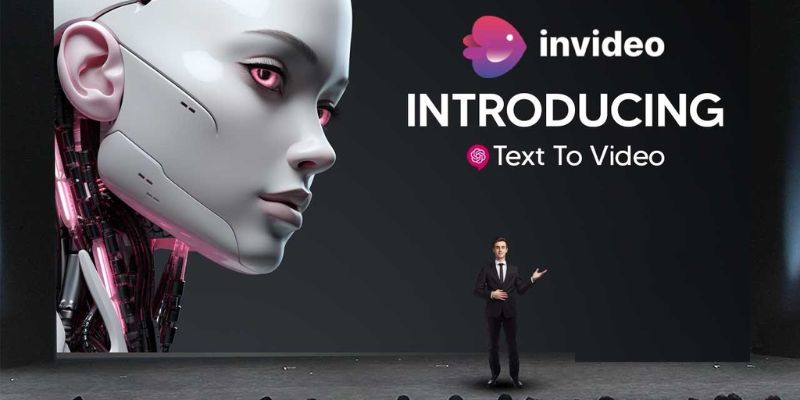
InVideo AI is the closest thing to a fully automated TikTok video generator. Paste a script, a product URL, or even a keyword, and it builds a complete video, including voiceover, B-roll footage, transitions, music, and captions, without me touching a single timeline.
It’s surprisingly fast, saving a lot of editing time, with clips and voiceovers dropping in almost automatically. The recent update added multi-language voiceover support in over 50 languages, useful for faceless TikTok accounts targeting non-English markets where competition is lighter.
The free tier exports with a watermark, and paid plans start at about $9/month, making it an easy entry point. Outputs can feel generic if left unedited, and AI clips sometimes mismatch the script, so minor tweaks to hooks and thumbnails are usually needed. Overall, it works best as a starter generator for rough drafts and quick content.
Best for: Faceless content creators, marketers, and anyone starting a new niche account fast.
2. OpusClip: Best for Repurposing Long Videos Into TikToks
If you already have YouTube videos, webinars, or podcast recordings sitting around, OpusClip is one of the smartest investments you can make. It analyzes your long‑form content, identifies the most engaging moments, and automatically cuts them into short clips with animated captions and proper 9:16 framing.
I started using it to turn my hour‑long talks into TikToks and Shorts, and the speed is crazy, a 10‑minute video usually takes just a couple of minutes to process, giving me around ten clips ready to post.
The tool even scored $20 million in funding from SoftBank’s Vision Fund 2 in March 2025, hinting at how much confidence the industry has in this approach.
The free tier exists but comes with caps on processing minutes, and the Pro plan runs around $29/month for heavier use.
I still tweak a few clips, especially if the AI chops awkwardly at the start or end, and I double‑check captions, but overall it saves way more time than it takes to edit. It turns content I’d normally leave untouched into ready-to-share social clips with minimal effort.
Best for: Podcasters, educators, YouTubers, and anyone with a content library they haven’t fully tapped.
3. HeyGen: Best for Faceless Avatar-Led TikToks
HeyGen lets you create a polished on-camera presenter without ever appearing yourself. For faceless TikTok channels, it’s one of the most practical AI video tools available. It generates realistic AI avatars that lip-sync to your script in over 175 languages, complete with natural blinking, head movement, and tonal shifts.
The platform's Creator plan costs $29/month and includes unlimited videos, watermark-free exports in 1080p, and voice cloning, meaning the avatar can speak in a version of your own voice. That's a surprisingly personal touch for content that never required a single take.
It connects with models like Sora, Veo, and Kling for cinematic B-roll, and integrates ElevenLabs for ultra-realistic speech on higher tiers. HeyGen works especially well for product reviews, educational explainers, or channels built around a consistent "host" persona.
The free plan allows 3 videos per month at 720p with a watermark, enough to test, but not to run a channel.
Best for: Creators building faceless TikTok brands, product review channels, and educational content at scale.
4. Pictory: Best for Turning Blogs and Articles Into TikToks
Pictory turns written content like blog posts, articles, scripts, or notes into vertical videos with stock footage, AI voiceover, and auto‑captions.
I started using it to convert my blog posts and long scripts into TikTok clips, and it cuts down the time I spend creating videos. It pulls in visuals and captions quickly, giving me a rough cut I can polish, which is a lifesaver when I have a backlog of content.
Matching visuals and text isn’t always perfect, and some stock clips feel generic, so minor swaps or narration tweaks are often needed. Paid plans allow custom branding with colors and logos, and videos come ready in TikTok’s vertical format.
Overall, it makes it easy to turn written content into shareable clips without deep editing, helping maintain a steady content flow from material that might otherwise sit unused.
Best for: Content marketers, bloggers, and agencies with large written content archives.
5. Zebracat: Best for Scene-Driven Creative Videos
Zebracat takes a different approach: instead of automating basic edits, it focuses on cinematic, scene-by-scene storytelling from text prompts. You describe your idea, choose a visual style, and the AI writes the script, sources footage, designs scenes, adds music, and produces a polished video.
The results feel more like mini-documentaries than slideshows with voiceover, with reports of up to 4x longer watch times compared to standard talking-head clips, boosting performance on TikTok.
Zebracat has no free plan; paid plans start at $24/month (billed annually) for unlimited videos with 1080p watermark-free exports. A free trial is available to test output quality.
Ideal for ad content, storytelling channels, or faceless accounts where visual quality and narrative matter.
Best for: Creative agencies, video ad creators, and faceless storytelling accounts.

6. CapCut: Best Free Option With AI Text Features
CapCut is built by TikTok’s parent company, ByteDance, so it keeps up with platform trends fast and feels native to TikTok editing.It’s free and packed with features like script generation, text‑to‑speech, auto captions, background removal, and trending templates that help me jump from idea to shareable video without spending much time.
Auto captions especially save me hours that I used to spend typing them manually, and the caption styles and layouts fit TikTok’s look really well.
It isn’t flawless: AI captions sometimes misinterpret speech, requiring corrections. Some formerly free features, like certain effects, have moved behind a paywall, and basic transitions can feel simple compared to pro editors. Still, for fast, native-feeling TikTok edits on a zero budget, CapCut works well and lets you post consistently without watermarks on most exports.
Best for: Creators on a budget, beginners, and anyone who wants a free tool that actually works.
7. Synthesia: Best for Professional, Script-Driven TikTok Content
Synthesia sits at the polished end of AI video tools. It turns scripts into presenter-led videos using over 230 AI avatars in 140+ languages, making it scalable for brands running structured content programs.
It works well for scripted product explainers and educational clips, letting you skip cameras, lighting, and actors while generating studio-quality talking heads in minutes. Online reviews also note the avatars and voiceovers look professional and clear for training or business videos.
It’s not perfect: avatars can appear stiff or “AI-ish,” occasionally mispronounce words, and scripts sometimes need tweaking. Plans aren’t cheap, lower tiers limit minutes, while higher customization increases costs.
It’s ideal for structured educational, demo, or authority-style TikTok content where polish matters more than trend-driven spontaneity, though minor tweaks and proofreading are usually needed.
Best for: Educators, B2B brands, and professional knowledge creators building credibility on TikTok.
How to Choose the Right Tool for Your TikTok Strategy
The AI video tools above serve different purposes, so picking the right one for your workflow is more important than chasing the “best” by reputation.
Starting from scratch with no existing content: Use InVideo AI or CapCut. They let you turn scripts, keywords, or ideas into TikTok-ready videos quickly. Focus on polishing hooks and thumbnails before posting.
Already have long-form videos, webinars, or podcasts: OpusClip can automatically extract highlights and create multiple short clips, saving hours of manual editing. Review captions and trims to ensure clarity.
Running a faceless account with a consistent on-screen host: HeyGen or Synthesia work well. You can create avatars that speak in multiple languages or your own voice. Plan for minor script tweaks to make speech sound natural.
Focusing on cinematic quality and storytelling: Zebracat is best. It produces scene-by-scene videos that feel like mini-documentaries, ideal for branded content or paid TikTok ads. Test a free trial first to verify style and pacing.
Budget tips:
CapCut is free. InVideo starts at $9/month. OpusClip $29/month, HeyGen $29/month, Pictory $19/month, Zebracat $24/month (annual billing), and Synthesia $18/month (Starter plan, annual). Combining two or three of these tools often costs less than hiring a professional editor for a single day.
Map your content type, target audience, and workflow to the tool’s strengths. Start with one tool to master its quirks, then layer additional tools only where efficiency or quality gaps exist.
Pick Your Tool and Start Posting
The gap between knowing about these AI video tools and actually using them is where most creators lose ground. None of these platforms require a learning curve longer than an afternoon. Most offer free tiers or trials generous enough to produce real output before spending anything.
TikTok rewards consistency above almost everything else. A text to TikTok video made in three minutes with InVideo that gets posted today will always outperform a perfectly edited clip that takes three days and misses the trend window. For anyone serious about faceless TikTok growth, the TikTok video generators on this list remove the single biggest excuse: not having enough time to produce content.
Pick one tool, test it with five videos, and track your watch time. AI content creation works best when you treat it like a system, not a one-off experiment. The data will tell you what to do next.
Don't Miss

Top AI Trading Tools and Apps for Smarter Stock Analysis & Investing

AI In Fashion: How Brands Predict Trends Faster Than Ever

Better Video Quality Made Easy: Tips and Tools for Creators

Faster Edge AI And Real-Time Intelligence: 2026's Next Big Shift

7 AI Tools That Turn Text Into Viral TikTok Videos in Under 5 Minutes